How to post a long video to WhatsApp Status in the right order
By the VividStatus team · Sources checked on
To post a long video to WhatsApp Status in the right order, split it into parts of 90 seconds or less, number them, and post Part 1 first, then each next part straight after. Every status disappears 24 hours after it goes up, so posting all parts in one sitting keeps them visible over the same 24 hours.
The splitting is the easy half. Most mix-ups happen while posting: a part skipped, a part sent twice, or Part 3 posted hours after Part 2. This guide gives you a routine that avoids all three.
How do you post the parts in order with VividStatus?
This is the Studio route, for a video you want to post as a numbered series:
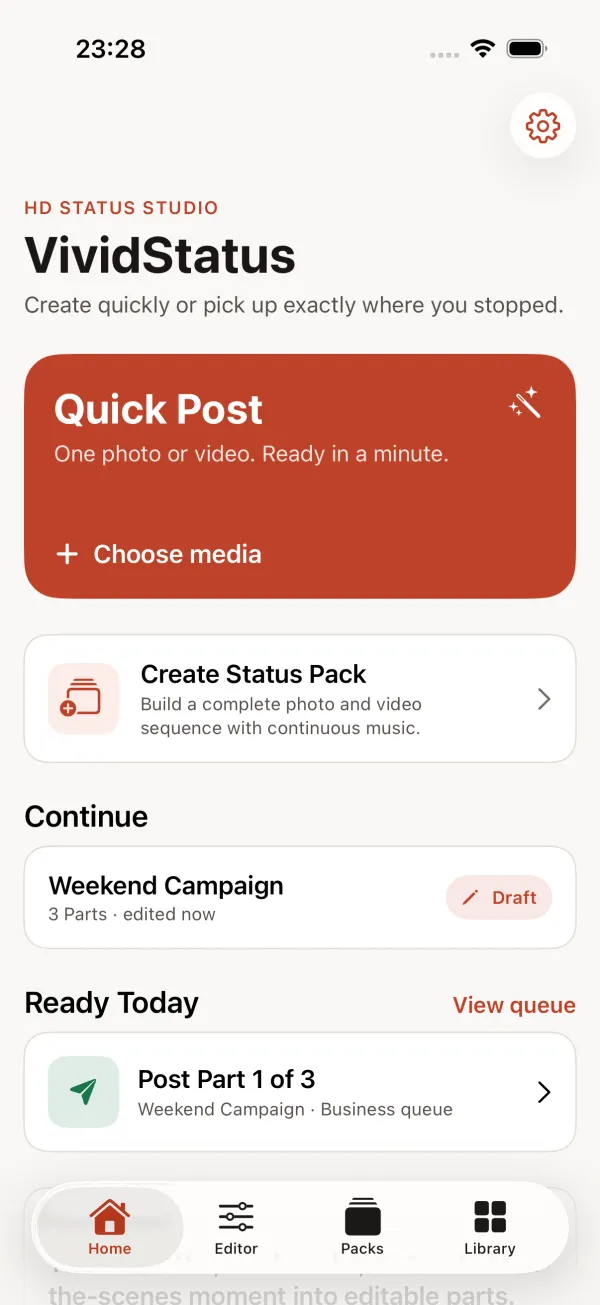
Tap Create Status Pack on the Home screen.
Add the long video. A pack can also mix photos and other clips.
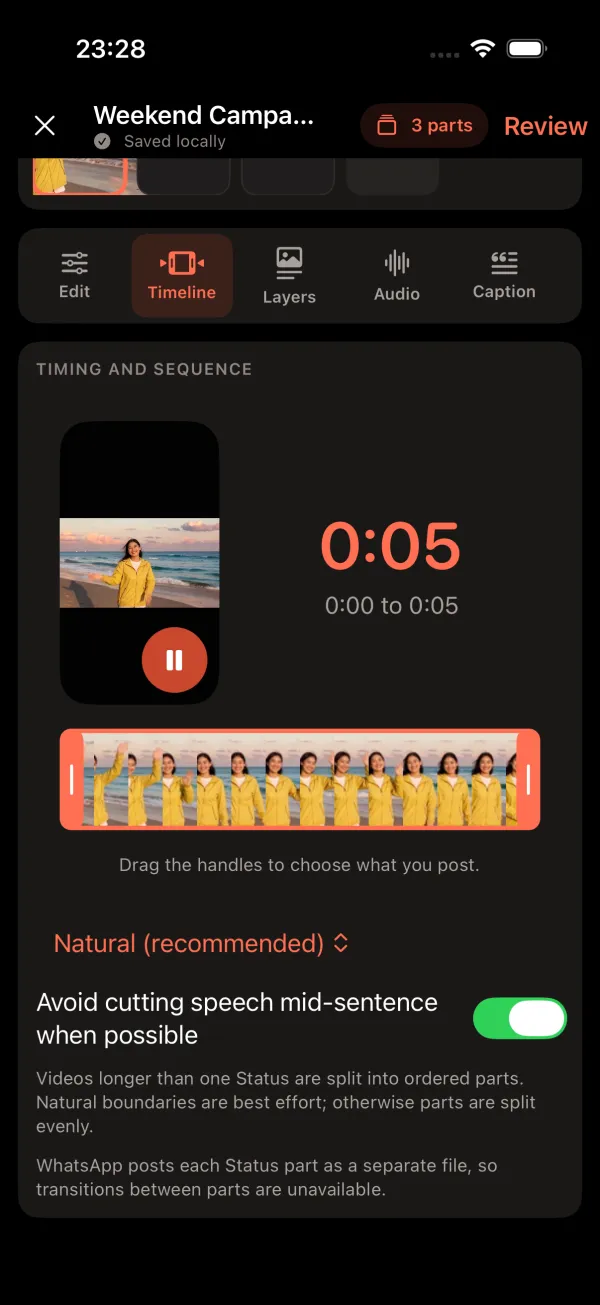
Open the Timeline tab.
Drag the handles to choose what you post. With Natural (recommended) the video is split at natural boundaries where possible; otherwise the parts are split evenly. Switch on “Avoid cutting speech mid-sentence when possible” for talking videos.
Check the Review Pack screen.
It lists how many ordered Status parts you will get and the output settings. Then tap the Prepare button to render the parts on your iPhone.
Post Part 1, then the next.
VividStatus opens each part in WhatsApp’s status screen; you check it and share it there. The Home screen shows the next part to post under Ready Today.
Posting checklist (screenshot it before you start)
- Every part is 90 seconds or shorter.
- The parts are numbered 1, 2, 3 … in the order of the story.
- The audience is the same for each part (in WhatsApp: Status (Contacts)).
- Part 1 goes first.
- The remaining parts follow within a few minutes.
- Open Updates > My status and count the parts: none missing, none twice.
Why do the parts not flow into each other?
Each part is posted to WhatsApp as a separate file, so a transition cannot run from one part into the next. VividStatus says so on the Timeline tab. Plan your cuts where a pause or a new scene happens anyway; that is exactly what the Natural option looks for.
Music is the exception you can plan for: Studio can keep one continuous music track across the parts of a pack, so each part carries its own piece of the same song.
Questions about posting in order
Can I post all parts in one go?
No. WhatsApp takes one file per status, and VividStatus opens one part at a time in WhatsApp for you to confirm.
Do all parts disappear at the same time?
Each part disappears 24 hours after you post it. Parts posted a few minutes apart disappear a few minutes apart.
How many parts can one video have?
VividStatus shares the video evenly across as many parts as it needs, each no longer than the part length you chose. A 10-minute video at 90 seconds becomes seven parts of about 86 seconds.
Sources
Sources checked on 25 September 2026. Spotted a mistake? Email [email protected] and we will correct this page.