Why your WhatsApp Status is blurry — and how to fix it
Updated 2026-08-05
A WhatsApp Status usually looks blurry for one of a few situational reasons — the viewer’s media auto-download quality is set to Standard rather than HD, the network was poor when they loaded it, the app version or platform differs, or the file was already re-compressed before you posted it. What does not hold up is the widely repeated claim that WhatsApp crushes every Status to about 480p: our own device test on a current iOS build posted a raw 1088×1920 clip at ~19.6 Mbps straight to Status and fine sign text stayed legible on the viewer’s side.
That test was a single device on Wi-Fi with the viewer set to HD auto-download, so it is one solid data point rather than a universal rule — and it is enough to retire the fixed-crush story that most guides are still built on. Below: what each route into Status actually does to your file, the four claims you can ignore, and what is genuinely worth changing.
The causes that actually hold up
- Your viewer’s auto-download quality — WhatsApp lets each person choose the quality at which media downloads. A viewer on Standard receives a lighter rendition than a viewer on HD — same Status, two different results, and nothing you do on your end changes their setting.
- Network conditions at the moment they watch — Delivery adapts to the connection. A Status that looks clean on Wi-Fi can arrive soft on a weak mobile connection, which is why the same post gets contradictory reports from different friends.
- App version and platform differences — Behaviour has changed repeatedly over the years and does not land everywhere at once. Guides written against a 2021 build describe a pipeline that is not the one running on a current iPhone.
- The source was already compressed — A clip saved from another app, re-shared from a chat, or downloaded off social media has been through a lossy encode already. Posting it adds another generation of loss on top, and that stacks visibly.
- The frame is wrong, so something has to give — Status is a 9:16 frame. A clip that arrives at 16:9 or 4:3 has to be cropped or padded to fit, and bitrate spent on letterbox bars is bitrate not spent on your subject.
Every route into Status, and what it does to your file
| Route into Status | What happens to the file | What we can honestly say |
|---|---|---|
| Status composer (WhatsApp’s own gallery picker) | Re-encoded on upload | Our device test found a 1088×1920 source still legible viewer-side — not the ~480p crush the older lore describes |
| Share sheet → “My Status” | Opens the same Status editor | Same pipeline as the composer |
| Share-to-Status API (one tap from another app) | Opens that same composer with your media preloaded | Same pipeline; our own one-tap run is still pending a clean re-test |
| Chat send | Re-encoded on upload, lighter when upload quality is set to HD | Chat HD video is reported to cap at 720p — below what our Status test preserved |
| Chat send as a Document | Not re-encoded — byte-exact, up to 2 GB | Reported, and beside the point: a document cannot be posted to Status at all |
| Forward an existing chat message → My Status | No new upload and no re-encode — reuses the stored copy | Community-reported mechanic; in our test it produced no visible difference from posting directly |
What changed, and why so many guides are stale
For years the accepted answer was that the Status composer transcodes everything down to roughly 480p, and that the only escape was to route around it. That story is repeated across most of the pages ranking for this query today. When we tested it directly rather than citing it, it did not reproduce: a deliberately demanding 1088×1920 clip at ~19.6 Mbps, full of fine text and motion, came back legible on the viewer’s phone, and a version routed through the Forward trick looked no different.
The honest scope of that result: one poster device, one viewer, Wi-Fi throughout, viewer on HD auto-download, tested on 2026-07-31. Slow-network viewers, Android viewers and anyone on the Standard auto-download setting were not tested and may well still receive a degraded rendition. So blur complaints are real — they are just not explained by a single fixed ceiling that applies to everyone.
And the caveat that outlives any test: WhatsApp decides the final encode after upload. Nothing on your phone, ours included, overrides that.
Four claims you can safely ignore
- “WhatsApp crushes every Status to 480p” — The most repeated claim in this category, and the one our device test contradicts on a current iOS build. It appears to be older behaviour that has been copied forward ever since. Treat any advice built on top of it with suspicion.
- “Turn on HD for Status” — There is no Status-specific HD control. On the current iOS build we tested there is not even a per-send HD badge — media upload quality is a global setting under Settings → Storage and Data → Media upload quality. Native HD for Status has been in Android beta since December 2023 without shipping as of mid-2026.
- “Keep it under 10 MB and WhatsApp won’t compress it” — This threshold is unsupported anywhere in the research. There is no documented size below which the upload skips its encode, and a 30-second clip at a sensible modern bitrate lands well above 10 MB anyway.
- “Just export 1080p and it’ll be sharp” — Resolution on its own is not the lever. A 1080p export at a starved bitrate looks worse than a well-encoded smaller frame, and neither one changes your viewer’s auto-download setting or their signal. Most pages giving this advice quote no bitrate at all.
What is actually worth doing
- Post the original, not a copy of a copy — Go back to the source file in Photos rather than a version that has been through another app, a chat, or a download. Removing one generation of loss does more than any export setting.
- Frame to 9:16 before you post — Hand over a file that already fits the Status frame, so nothing is cropped away by surprise and no bitrate is spent on bars.
- Encode at a modern target, not a defensive one — Since a current build preserved ~1080p in our test, pre-shrinking to 480p to “beat the compressor” now makes your own export the weakest link. Aim at 1080×1920 with a real bitrate behind it.
- Check the report before chasing a fix — If one friend says it is blurry and others do not, the difference is on their side — their auto-download setting or their connection — not in your export.
Where VividStatus fits
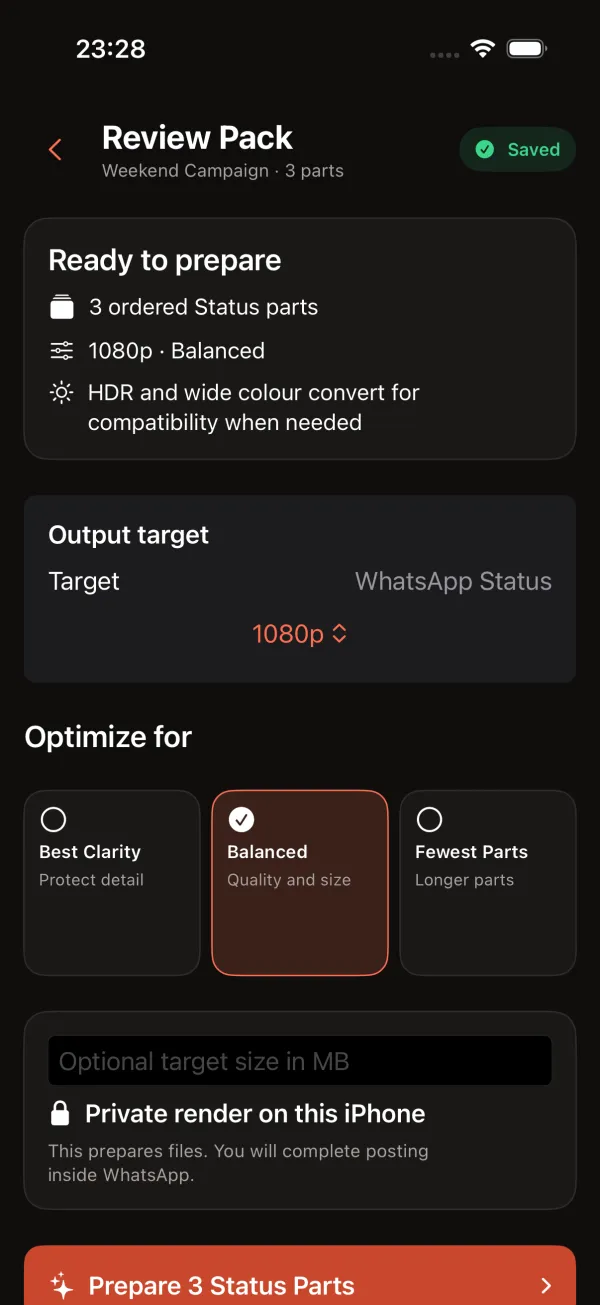
VividStatus is not a way around WhatsApp’s processing, and after that device test it does not pretend to be one. What it does is make sure the file you hand over is not the problem: it fits the shot to a true 9:16 frame, splits a long clip into ordered parts, and encodes at 1080×1920 and about 6 Mbps — 8 Mbps for high-frame-rate footage — with photos at 1152×2048 and JPEG quality 0.90. Those targets exist so that VividStatus is never the bottleneck compared with posting the original directly.
VividStatus is an iPhone app that prepares photos and videos for WhatsApp Status: it fits them to the exact 9:16 frame, splits longer clips into ordered parts sized to what your WhatsApp actually accepts, and hands them to WhatsApp in one tap — entirely on device, with no watermark, no ads and no account.
Those numbers are what VividStatus encodes to. The Status-side figures are what the research reports and what our own single-device test found — not a promise about the file that reaches any particular viewer.
Blur questions people actually ask
Why does my Status look blurry to one friend and fine to another?
Because delivery depends on their side too. A viewer whose media auto-download quality is set to Standard, or who loads it on a weak connection, gets a lighter rendition than a viewer on HD over Wi-Fi. Same upload, different result.
Should I shrink my video before posting so WhatsApp compresses it less?
Not any more. That advice comes from the assumption that Status crushes everything to about 480p, which our device test did not reproduce on a current build. Pre-shrinking now risks making your own export the weakest link in the chain.
Can any app stop WhatsApp from compressing my Status?
No. Nothing on iOS can place a file into Status without going through WhatsApp, and no documented setting makes the upload skip its encode. What an app can do is hand over a well-framed, well-encoded original instead of a degraded copy.
Is the Forward trick still worth doing?
Sometimes. Forwarding genuinely avoids a second upload and encode, but in our test it looked no different from posting directly, and the chat HD path it inherits from is reported to cap at 720p. It is most likely to help viewers on slow connections or the Standard auto-download setting.
Sources
- WhatsApp — sharing media to Status from another app
- WABetaInfo — iOS 25.22.83 adds a My Status share-sheet target
- TechCrunch — HD video for chats, reported 720p cap
- 9to5Mac — HD as the default upload quality
- MacRumors — documents preserve the original file byte-for-byte
- Columbia Journalism Review — how WhatsApp re-uses stored media on forward