Get photos and videos ready for WhatsApp Status on iPhone
VividStatus is an iPhone app that gets photos and videos ready for WhatsApp Status. It frames them for a 9:16 portrait screen, trims and splits long videos into numbered parts of up to 90 seconds, and adds text, music or a QR code. Everything runs on your iPhone; you post each part yourself in WhatsApp.
For iPhone. You finish posting in WhatsApp.
What VividStatus does
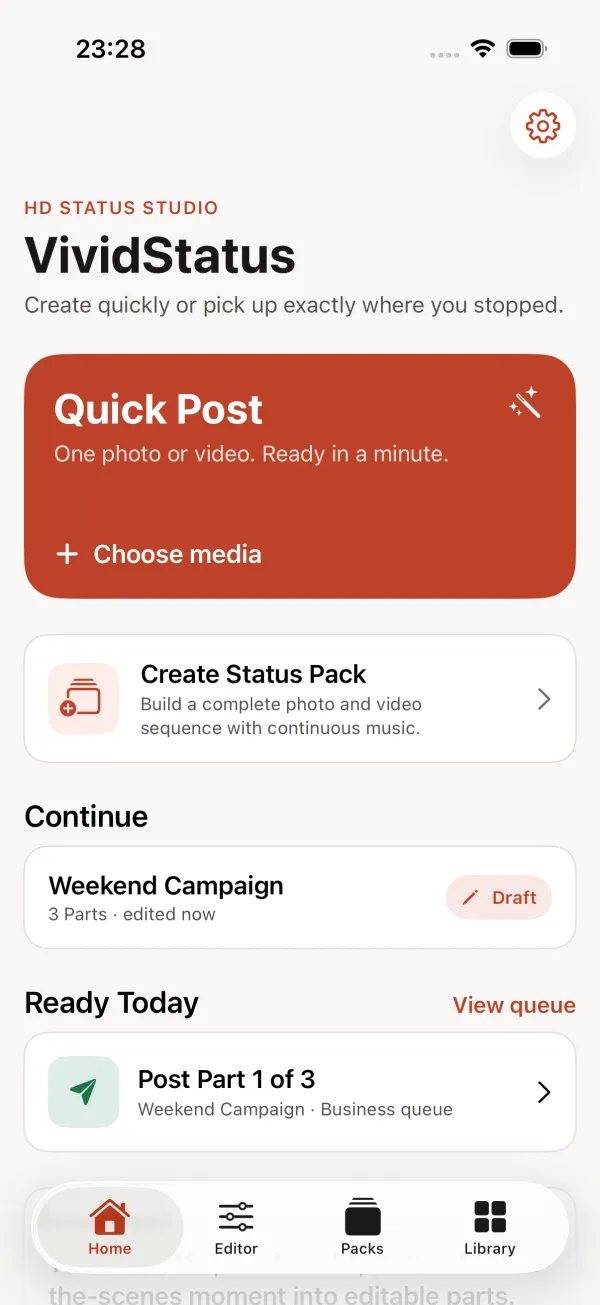
Quick Post
One photo or video, ready in a few taps: fill the screen, show everything or crop by hand, then trim or split.
Status Packs in Studio
Build a whole series from photos and videos, then trim, split, join and reorder the parts.
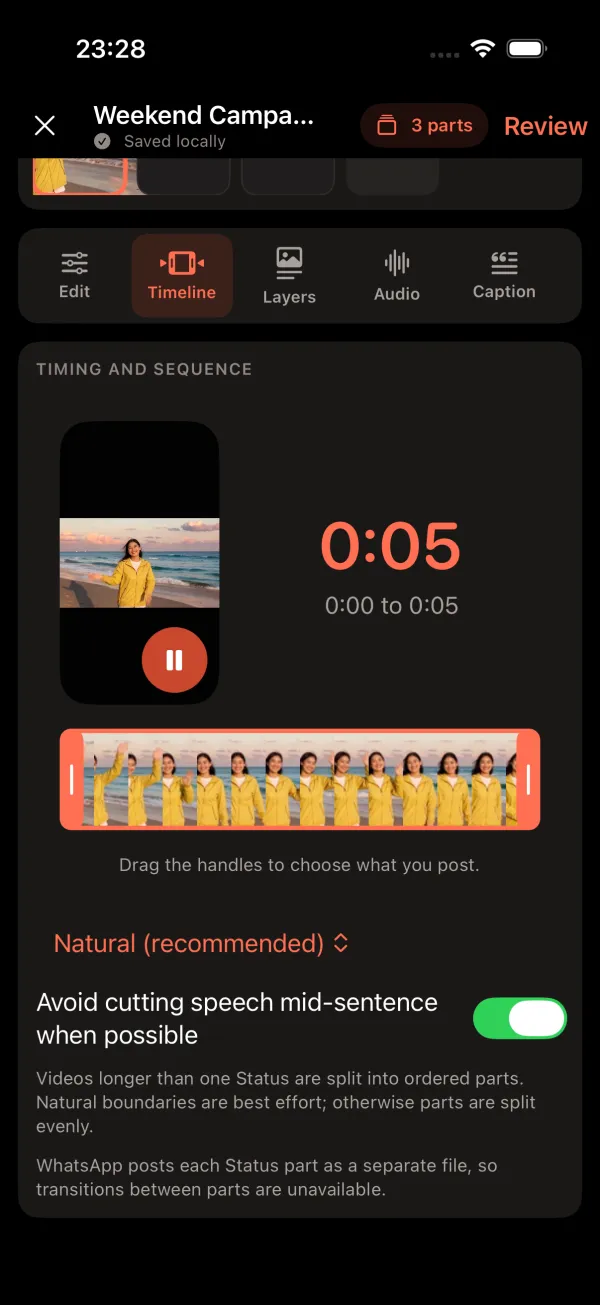
Long videos in ordered parts
Choose a part length of up to 90 seconds. The app shares the video evenly across numbered parts.
Text, logos, QR codes and music
Add captions, emoji, your logo or a QR code, and keep one music track running across the parts.
The right shape for Status
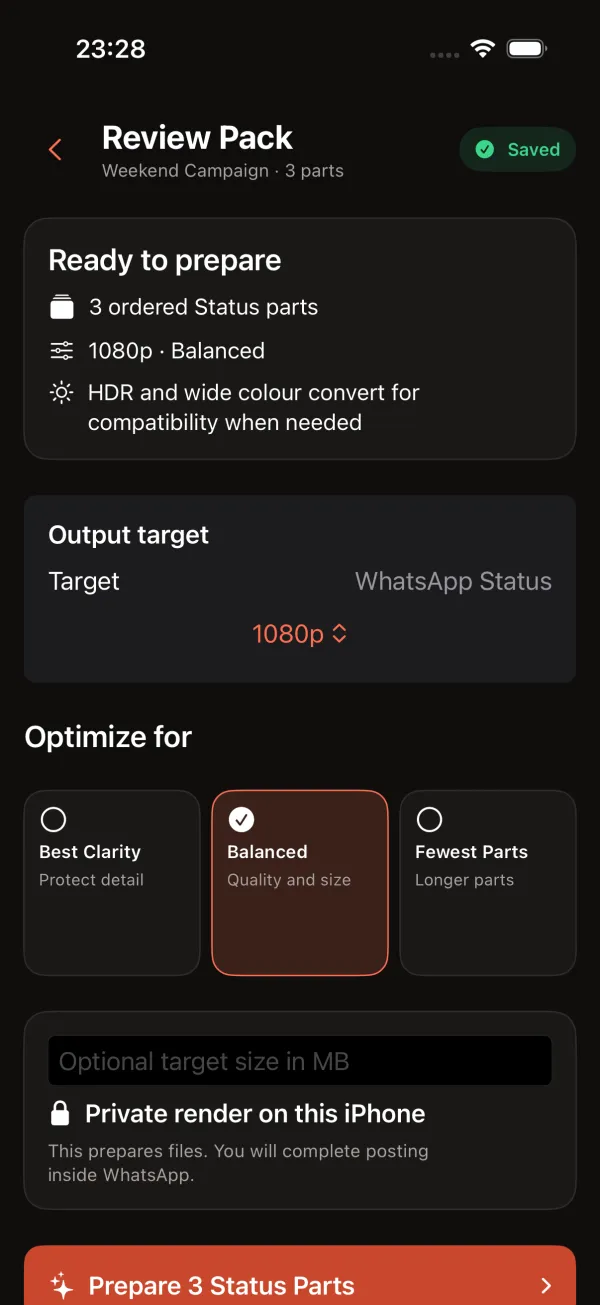
Every export is portrait 9:16. HDR and wide colour are converted for compatibility when needed.
Private on your iPhone
No account and no upload to a VividStatus server. Your photos and videos stay on the device.
How it works
Choose your media
Pick a photo or video for Quick Post, or start a Status Pack in Studio.
Prepare it
Frame it for 9:16, trim it, and split long videos into parts. The parts are rendered on your iPhone.
Post in WhatsApp
VividStatus opens each part in WhatsApp’s status screen. You check it and share it, Part 1 first.
Inside the app
What VividStatus does not do
VividStatus does not post for you, does not sign in to WhatsApp and cannot see anyone else’s status. It is an iPhone app; there is no Android version.
It does not deblur video or recover detail, and it does not control what WhatsApp does after you post. WhatsApp’s own help page says HD media isn’t supported for statuses and that uploaded quality may be lower than the original. VividStatus is independent and not affiliated with WhatsApp or Meta.
Guides
How long can a WhatsApp Status video be?
WhatsApp says a Status video can be up to 90 seconds and a status disappears after 24 hours. What that means for longer videos, checked 25 Sep 2026.
Why your WhatsApp Status looks blurry on iPhone, and what you can change
WhatsApp says HD media isn’t supported for statuses. Find where the blur comes from, what you control on your iPhone, and what no app can undo.
How to post a long video to WhatsApp Status in the right order
Split a long video into parts of up to 90 seconds, post Part 1 first and the rest straight after. A step-by-step routine and a checklist for iPhone.
WhatsApp Status black bars: fit or fill a video for 9:16
Why landscape and square videos get black bars in WhatsApp Status, how much of the screen they cover, and when to fill, show all or crop instead.
WhatsApp Status video quality drops on iPhone: 5 checks
Check the original, HDR, camera format, length and export settings before WhatsApp takes over. Where to find each one in iOS, with Apple’s own wording.
Quick answers
How long can a WhatsApp Status video be?
Up to 90 seconds, according to WhatsApp’s Help Center for iPhone (checked 25 September 2026). Longer videos need to be split into several statuses.
How long does a status stay visible?
24 hours after you post it. Then it disappears from view.
Why does my status look blurry?
WhatsApp says HD media isn’t supported for statuses and that quality may be lower than the original. You control the steps before that: a sharp original in the right shape.
How do I post a video longer than 90 seconds?
Split it into parts of up to 90 seconds and post them in order, Part 1 first. VividStatus does the splitting and numbering on your iPhone.
Does VividStatus post to WhatsApp automatically?
No. It opens each prepared part in WhatsApp, and you confirm the post there.
Sources: WhatsApp Help Center: How to create and share a status (iPhone)
Prepare your next status with VividStatus
Available on the App Store for iPhone with iOS 17 or later.